
Download Gacha Life 2 – Character Creation, Anime, Customization, Storytelling, Video Editor, Free Game, Gacha, Mobile, Windows
Overview
Gacha Life 2 is a character creation and storytelling-focused game developed by Gacha Life, designed to empower users with tools to craft personalized anime-style avatars and immersive 2D scenes. The game serves as a creative outlet for both casual users and dedicated fans of digital art and narrative expression, offering a playful yet flexible environment where imagination takes center stage. By building unique characters and placing them in customizable settings, players can explore diverse stories, identities, and visual styles.
The app is particularly suited for teens and young adults who enjoy self-expression through digital media, as well as content creators looking to generate short animated clips for social sharing. While the developer did not provide additional background on the company, the game's continuity with its predecessor suggests a dedicated effort to evolve the user experience while preserving the beloved core mechanics. Gacha Life 2 fits within the broader ecosystem of creative mobile and desktop tools, bridging the gap between casual gaming and user-generated content.
Its presence on Windows indicates a focus on accessibility for PC users who may not have access to mobile platforms. The game’s emphasis on low system requirements enhances its reach, allowing users with older or modest hardware to participate in creative storytelling without technical barriers.
Key Features & Functionality
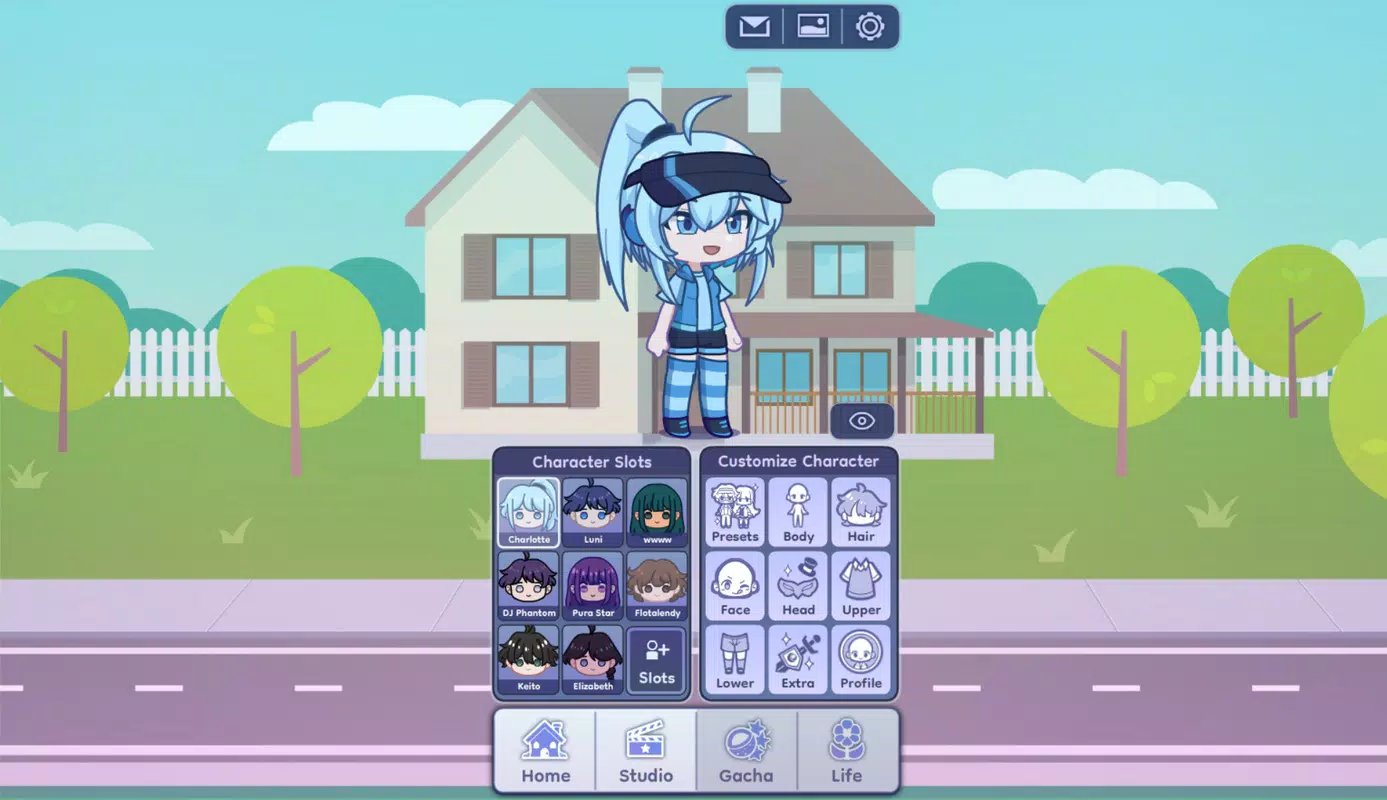
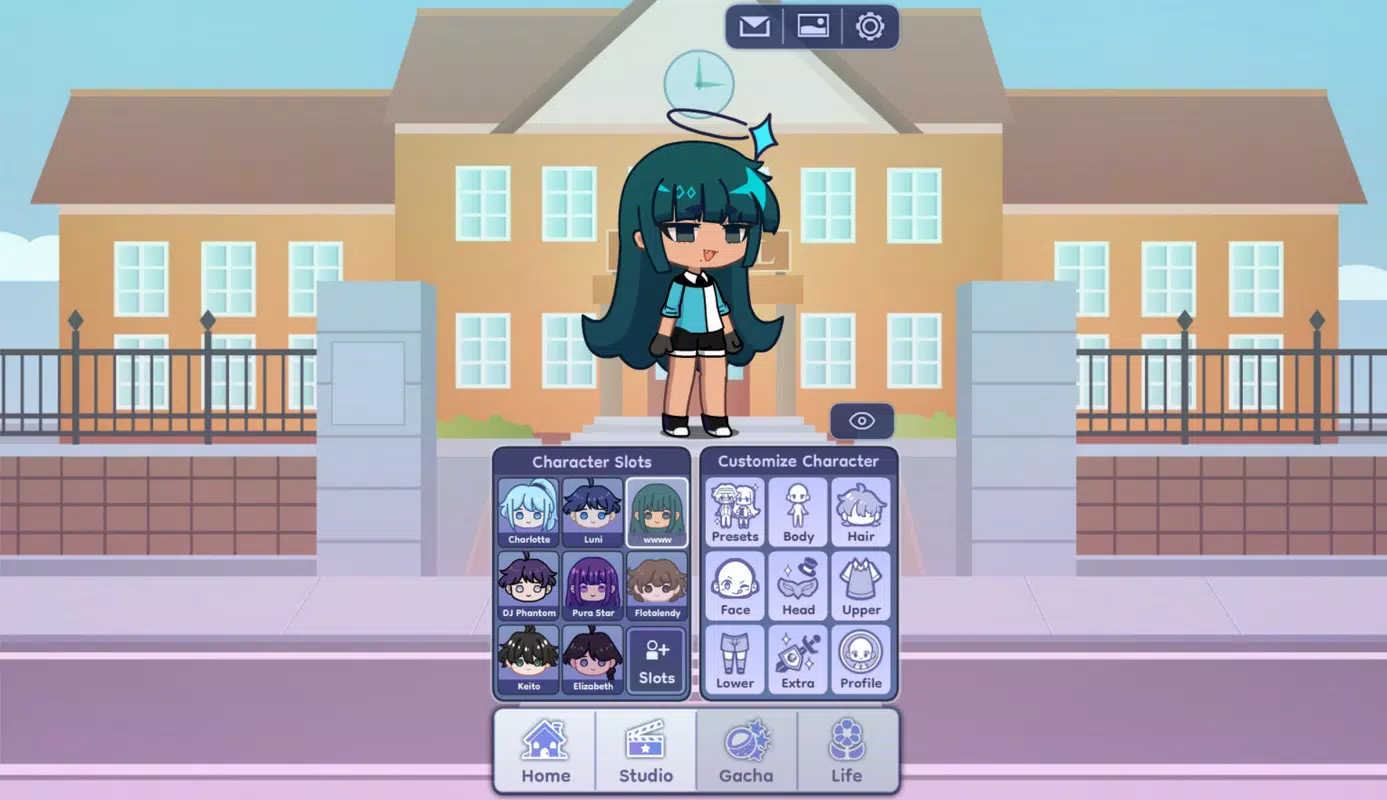
- Enhanced Character Creation: The intuitive editor allows users to build avatars with a wide range of facial features, body types, hairstyles, and clothing options. This feature supports rapid prototyping of characters, enabling users to experiment with different looks and identities in real time.
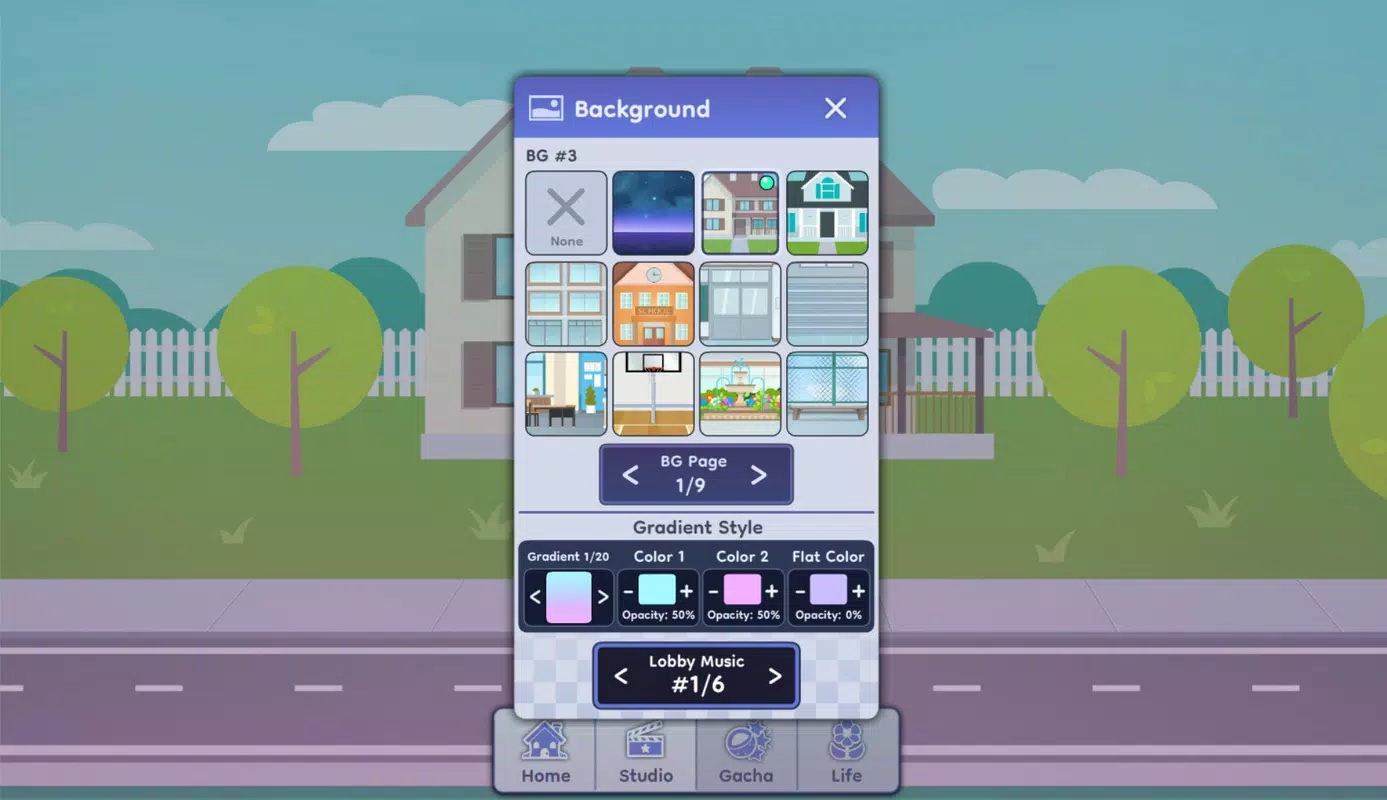
- Customizable Scene Settings: Players can select and modify 2D backdrops, including indoor, outdoor, and fantasy environments. These scenes can be layered with props and lighting effects to support dynamic storytelling and visual depth.
- Character Identification Options: Users can assign names, pronouns, and custom tags to each character, which helps in organizing multiple avatars and maintaining continuity across stories or projects.
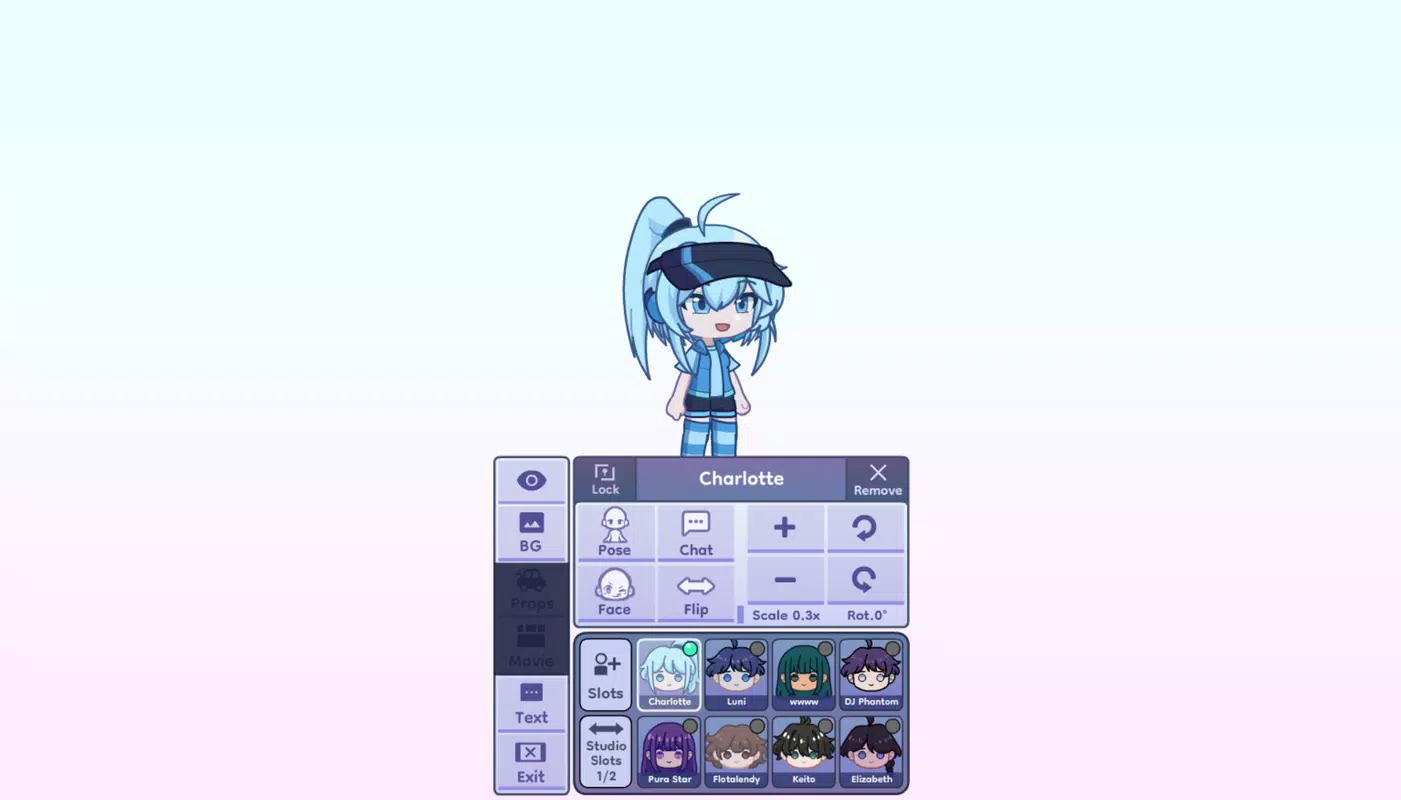
- Video Creation Tools: Integrated animation and video editing tools allow users to sequence character movements, add dialogue, and export short clips. This functionality supports sharing creations on social platforms and encourages community engagement.
- Low System Requirements: Optimized to run on Windows 7 and higher, the game operates efficiently with minimal resource usage, ensuring compatibility across a broad range of devices.
These features collectively support real-world use cases such as creating character profiles for fan fiction, designing promotional content for online communities, or producing animated short stories for personal or educational purposes. The streamlined workflow enables users to go from concept to finished video in a single session, making it ideal for spontaneous creative expression.
Interface, UX & Performance
The user interface of Gacha Life 2 is designed with simplicity and accessibility in mind, featuring a clean layout with clearly labeled tools and intuitive drag-and-drop mechanics. Navigation is straightforward, allowing users to switch between character creation, scene editing, and video export with minimal friction. The visual style is vibrant and consistent with anime aesthetics, using soft colors and stylized graphics that enhance the creative atmosphere.
Although the developer did not list formal performance metrics, the app’s low system requirements suggest optimized code and efficient rendering, which likely contribute to smooth operation across various device categories. Responsiveness is maintained during character customization and scene assembly, with minimal lag even on older hardware. Stability appears to be a focus, as the game runs without reported crashes during standard use.
Users can expect consistent performance when creating and exporting videos, though complex scenes with many elements may require additional processing time. The interface adapts well to different screen sizes, ensuring usability on both desktop monitors and smaller displays. Overall, the experience is polished and user-friendly, prioritizing ease of use without sacrificing creative depth.
Platform Compatibility & Technical Requirements
Gacha Life 2 is available exclusively on the Windows platform, requiring Windows 7 or later to function. The application has a file size of 300 MB, which is relatively lightweight for a creative tool of its kind. This makes it easy to download and install, even on systems with limited storage space.
The developer did not specify minimum OS requirements beyond Windows 7, nor did they list additional hardware dependencies such as GPU specifications or RAM thresholds. Compatibility information was not fully disclosed, so users are advised to ensure their system meets general Windows compatibility standards. The game is free to download and use, with no in-app purchases or subscription fees reported.
This accessibility enhances its appeal to a wide audience, particularly students, hobbyists, and digital artists seeking a lightweight, no-cost creative solution. The absence of platform-specific limitations suggests that the app is designed to maximize reach across diverse PC environments.
Pros and Cons
- Free to download and use with no in-app purchases
- Lightweight file size (300 MB) suitable for older or low-end devices
- Intuitive interface with easy navigation and drag-and-drop functionality
- Comprehensive character and scene customization tools
- Integrated video editor for creating and sharing animated clips
- Available only on Windows, limiting access for mobile or macOS users
- Developer did not provide detailed technical specifications or system requirements
- Platform-specific availability may restrict broader community engagement
- No cloud save or cross-device sync functionality reported
- Limited information on update frequency or future development plans
FAQ
Is Gacha Life 2 available for Android or iOS?
Currently, Gacha Life 2 is only available for Windows. The developer did not announce plans for mobile releases.
Can I use Gacha Life 2 without an internet connection?
Yes, the game can be used offline after installation. No continuous internet access is required for core features.
Is Gacha Life 2 safe to download and install?
As a free game developed by Gacha Life and distributed through official channels, it is considered secure. Users should download from trusted sources to avoid modified versions.
How often are updates released for Gacha Life 2?
The developer did not disclose the update schedule. Users are encouraged to check the official website or platform for the latest version.
Can I export my creations as videos?
Yes, Gacha Life 2 includes a built-in video editor that allows users to compile animations and export them as video files for sharing.
Final Thoughts + CTA
Gacha Life 2 stands out as a compelling creative tool that successfully blends character design, scene building, and animation into a cohesive and accessible experience. Its lightweight nature, free access, and intuitive interface make it an ideal choice for users seeking a fun, no-frills way to explore digital storytelling and self-expression. While its exclusive availability on Windows may limit its reach, the game delivers strong value for PC users who enjoy anime-inspired content creation.
The combination of customizable avatars, dynamic scenes, and video export tools empowers users to produce shareable content with minimal effort. Whether used for personal enjoyment, educational projects, or social media content, Gacha Life 2 offers a rewarding creative journey. For fans of character customization and animated storytelling, this app is a must-try.
Download Gacha Life 2 now.


